
Personal Stats
Cross-Agent stats tracking your AI-aided development.
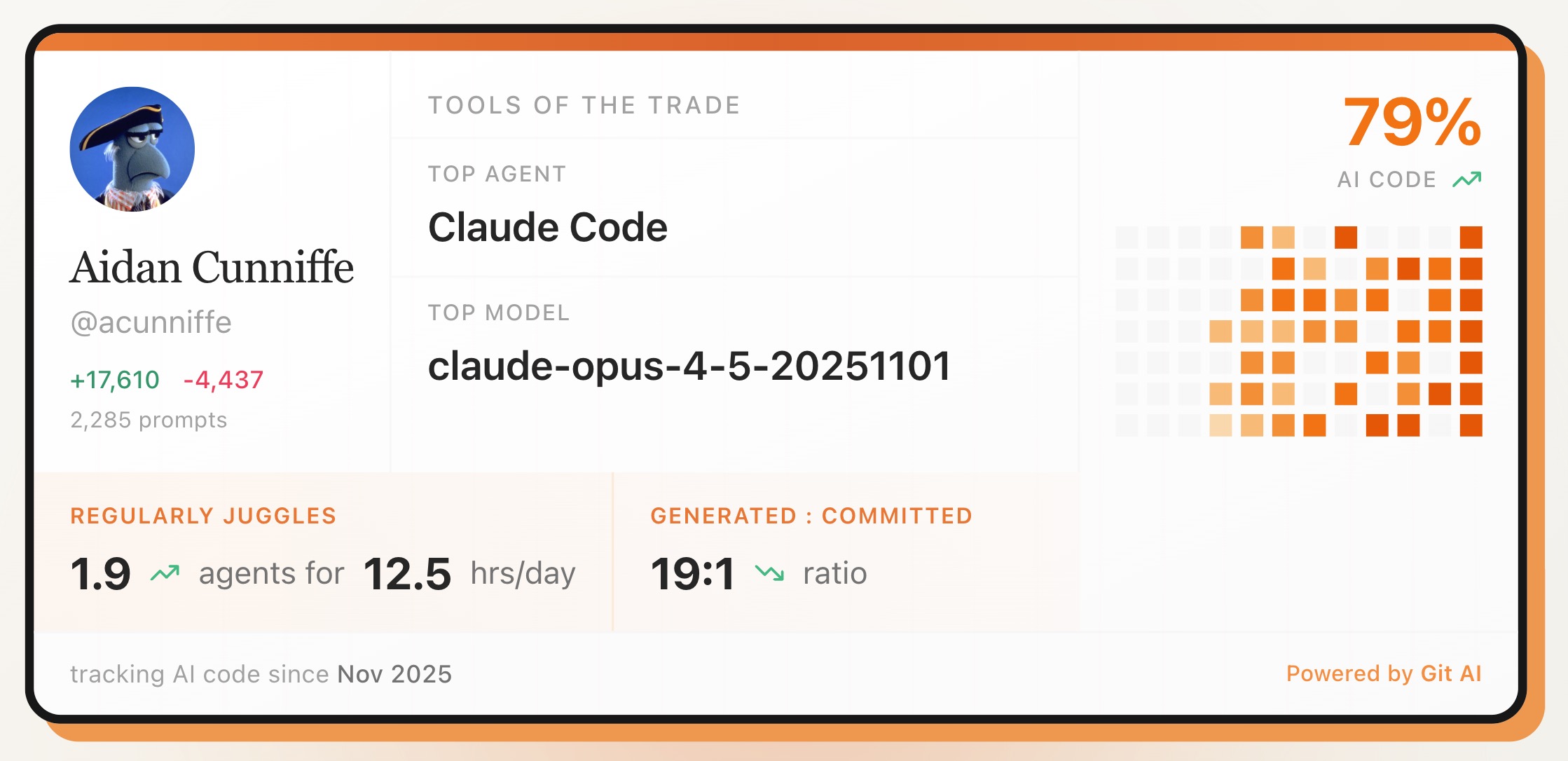
Every developer is figuring how to fit Coding Agents into their development workflow. Git AI's personal dashboard measures several key stats:
- AI Code % - what percentage of your code is AI-generated?
- Parallel Agents - how many agents do you run at once?
- Hours/Day - how many hours / day are the models working for you? (can be much higher than your actual coding time)
- Generated : Committed Ratio - how many AI-generated lines are you committing vs how many are you throwing away? This is a good proxy for how good you are at prompting and getting the agents to do the right thing the first time.
Note on Privacy
You can use Git AI without uploading any data to the Personal Dashboard. Nobody else can see your stats unless you share them.
Login to use the Personal Dashboard. All stats are computed locally and occasionally be uploaded to be displayed on the dashboard. No code, logs, or prompts are ever uploaded if you enable this feature.
Want to dig in event more?
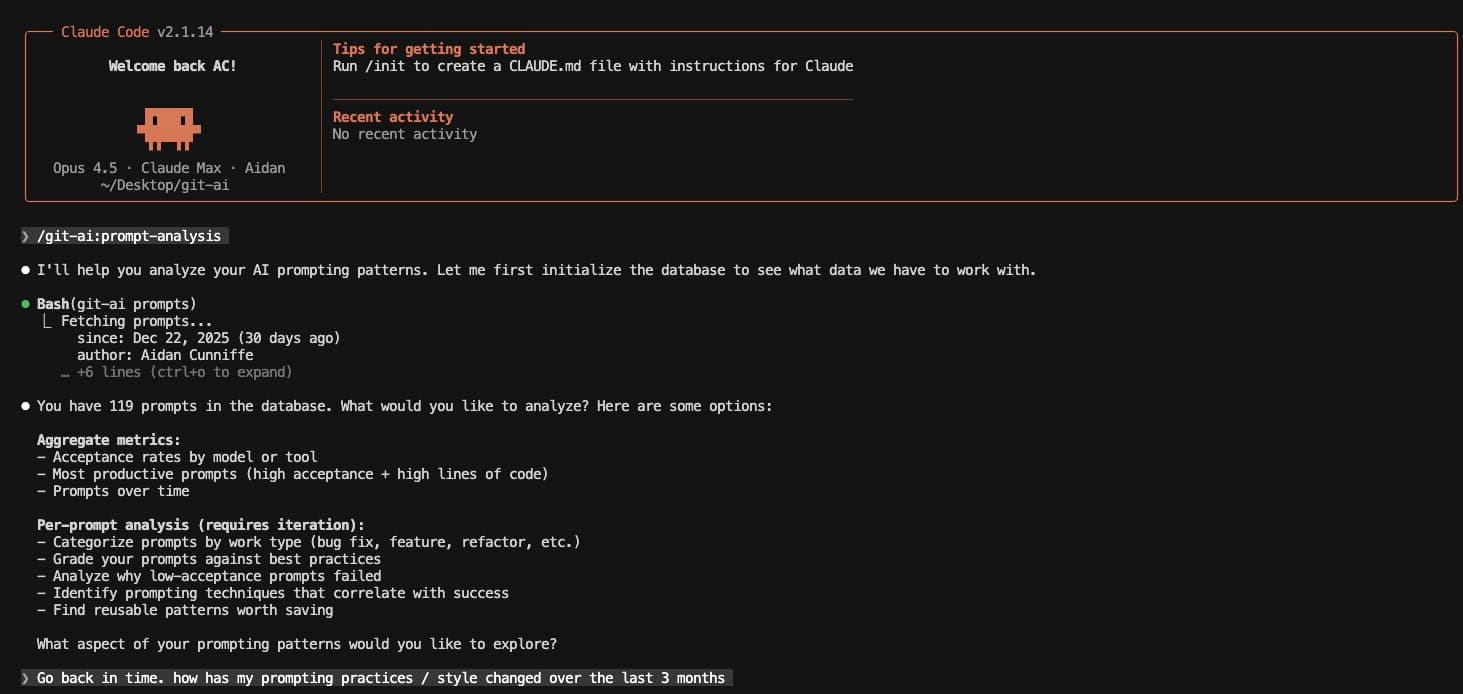
The Git AI Prompt Analysis Skill - analyzes and answers questions about your past prompts, helping you test different techniques and find what works best for you.
Setup your dashboard
Install Git AI:
curl -sSL https://usegitai.com/install.sh | bashLogin:
git-ai loginView dashboard:
git-ai dashboardIf you don't see any stats, do a few AI-aided commits and check back.