Track AI Code all the way to production
Observability for your software factory.







We're building the observability, governance and harness engineering stack that helps your team get more done with AI.
Improve Agent Autonomy/Measure ROI/Save Tokens/Ship maintainable, high quality code
Accurate AI-attribution, directly in Git
A Git extension that tracks the AI-code through every commit, merge, cherry-pick, stash/pop, rebase, squash, etc.
Just prompt and commit
Install the open source Git extension and work as usual. Every line of AI code will be tracked through the entire SDLC. Zero-overhead, no workflow changes, and no git hooks.
AI Blame
Git AI links each line of AI code to the agent, model, and prompt that generated it. Attribution survives rebases, merges, stash/pops, squashes, restets, cherry-picks, etc.
Trace the full Lifecycle of AI-Code
Our traces track the path of AI-code through the entire SDLC — see how much makes it to production, how often it gets reworked, and where your time and tokens are spent.
of production code is AI-generated
across all agents & developers
lines generated for every 1 shipped
very highreworked within a week of shipping
higher than average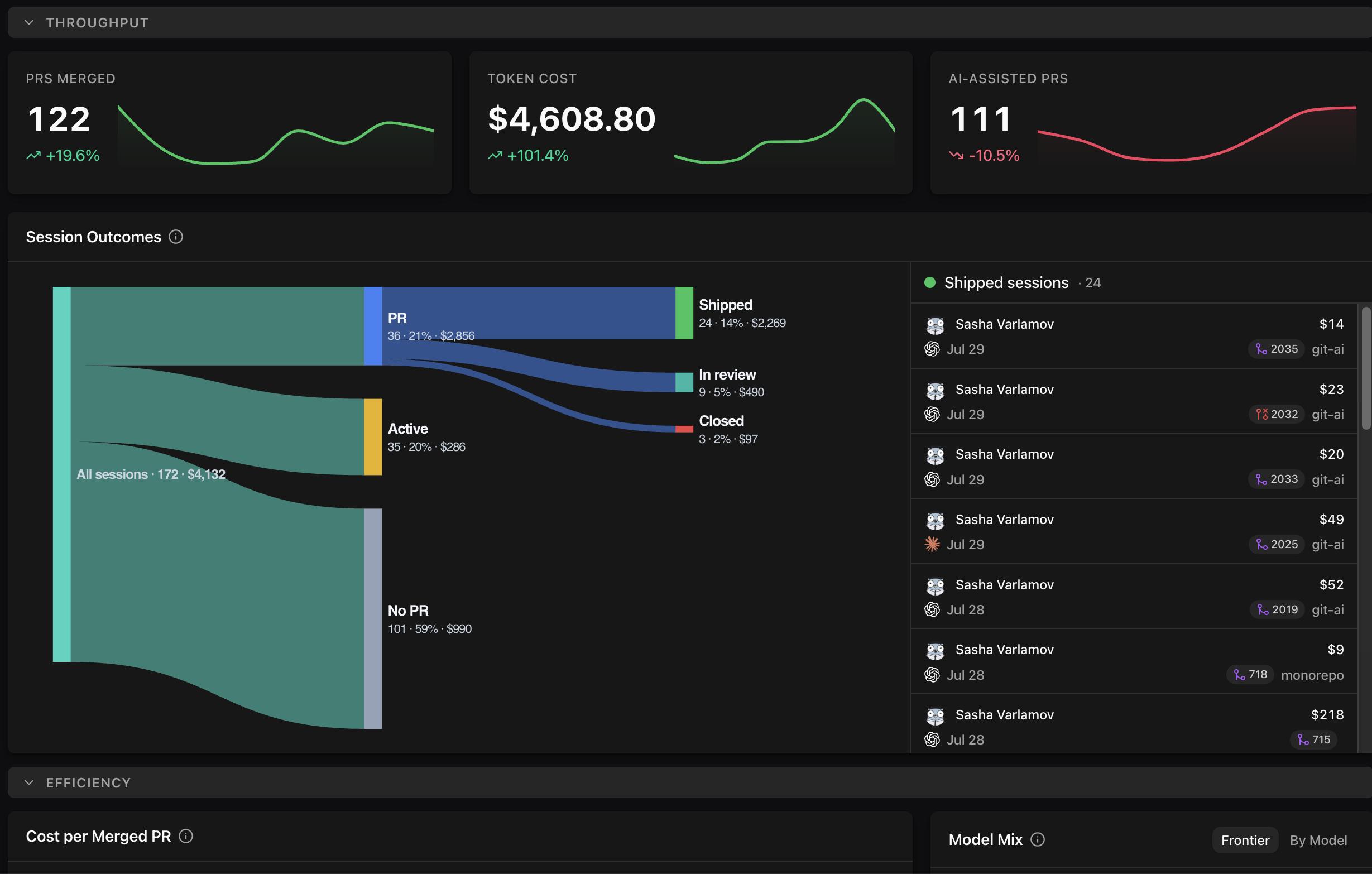
Git AI For Enterprise
Rollout Git AI to every developer via MDM, track usage, quality, and impact of AI-code, and drive improvements in agent autonomy.
Book DemoImprove Agent Autonomy
Git AI helps you straighten the path from prompt to production — saving tokens, improving outcomes, and requiring less human attention to complete the same work. Find friction in your traces and harness engineer at team scale.
Measure and Improve
Mine agent sessions across your team to build and continuously improve the skills, rules, and context that help agents work more autonomously.
Compound Context
Link the important context from agent sessions to the code it produced, so future agents understand the requirements and architecture choices behind what they build on top of.
Agent readiness
Replace vibes with data. See which parts of your codebase AI works well in — and which need the most investment at the harness layer.
Frequently Asked Questions
How accurate is Git AI?
How does it work?
Does the agent have to commit for Git AI to attribute the code?
Is there a performance impact?
Do I have to set up agent hooks?
Who uses this?
What's the difference between the open source CLI and the teams version?
Track AI Code
Line-level attribution that follows AI-code from prompt to production.
Harness Engineering
Find friction in agent traces and build the skills, rules, and context that lift autonomy.
Measure AI ROI
See how much AI-code ships, what it costs, and the impact it has in production.
Token Accounting
Attribute every token your agents spend to the code and outcomes it produced.