
Devin
Track Devin-generated code with Git AI attribution so commits from Devin sessions appear in AI blame and team analytics dashboards.
Commits from Devin are attributed to AI in
git ai blame and the analytics on Git AI
Team and Enterprise dashboards.
Capabilities
| Feature | Supported |
|---|---|
| AI Attribution | ✓ |
| Prompts | Coming Soon |
| Token usage | Coming Soon |
| Skill / MCP / Tool Use | Coming Soon |
Devin does not currently expose agent hooks in its runtime so prompt and tool capture aren't supported set.
Setup
You can install Git AI on Devin's environment two ways. Use Blueprints if your team is already on Devin's declarative environment setup; otherwise use the legacy machine snapshot flow.
Option 1: Blueprints (recommended)
Blueprints are Devin's declarative YAML config for setting up an environment. Add the Git AI install command to the initialize section of your repository or organization blueprint:
initialize: |
  curl -fsSL https://raw.githubusercontent.com/git-ai-project/git-ai/refs/heads/main/install.sh | bash
Configure blueprints from Settings → Environment → Blueprints in the Devin dashboard. The initialize section runs once and persists in the environment snapshot, so Git AI is available on every future Devin session for that repo.
Option 2: Install Git AI on Devin's Machine (legacy)
If you're not using Blueprints, open Devin's machine and run the standard installer in a terminal:
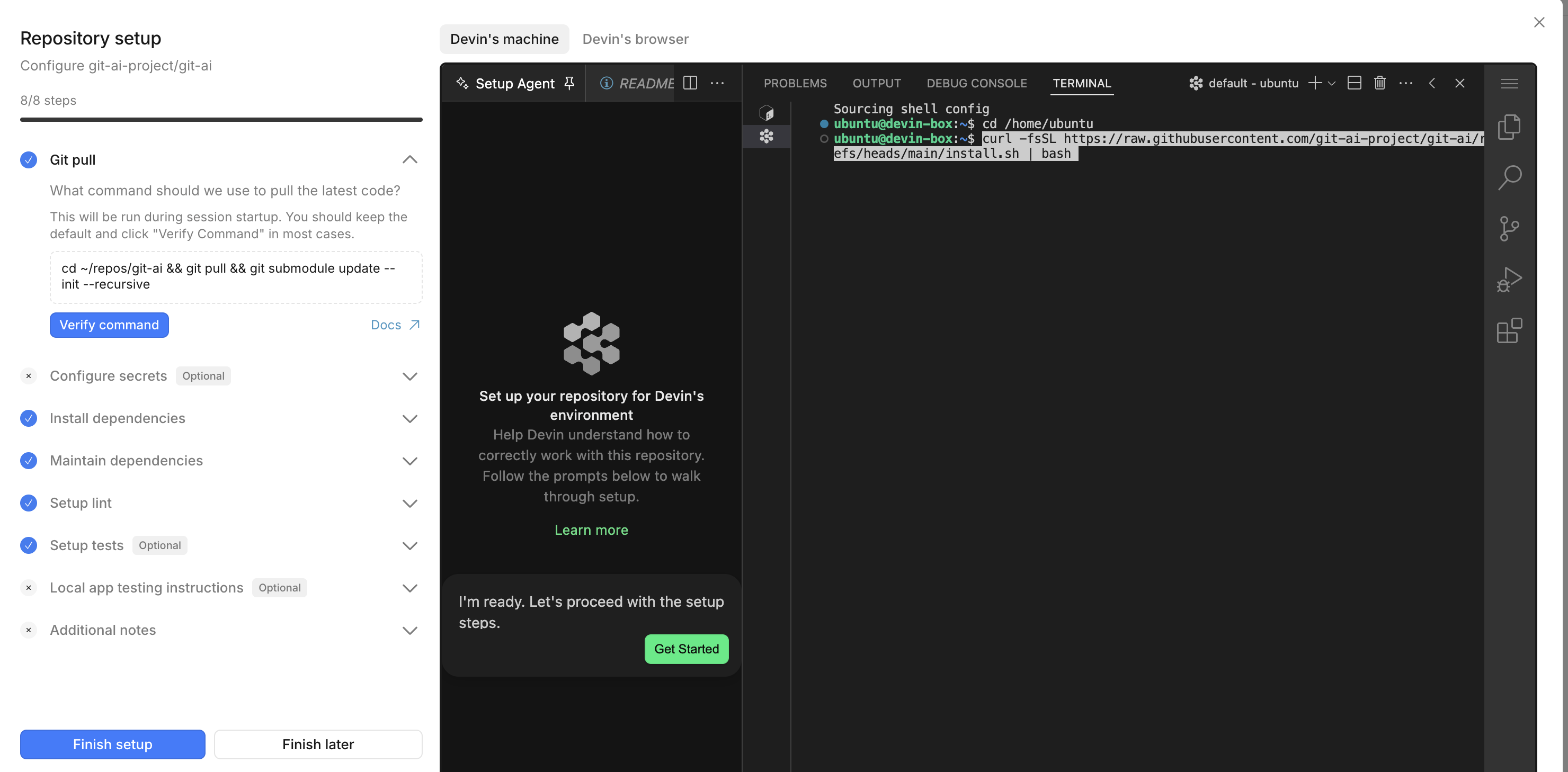
curl -fsSL https://raw.githubusercontent.com/git-ai-project/git-ai/refs/heads/main/install.sh | bashSnapshot the machine after install so the binary persists across sessions.