
Team Usage
Using Git AI with your team
Track every line of AI-code from prompt to production.
The open-source CLI records who wrote what on every commit. The Teams platform ties that together with your git history and source control to track AI code across the whole SDLC.
data sources
Git AI CLI
prompts · tool calls · tokens
Git History
authorship per commit
Source control
PRs · deployments · metadata
Git AI Platform
joins every source to track AI code from prompt to production
What you get
- % AI and token usage per PR — see how much of every pull request an agent wrote, and what it cost.
- Agent autonomy and token efficiency — autonomy is how much code an agent lands without a human editing it; efficiency is how many tokens it burned to get there. Compare both across teams, models, repos, and agents.
- AI code that reaches production — measure how much agent-written code actually ships versus gets thrown away.
- Quality and rework — track churn, rework, and review outcomes on AI-authored code.
- Harness engineering — mine agent sessions for where agents stall or over-spend, and improve your prompts and tooling.
| Open source | Teams platform | |
|---|---|---|
| AI attribution on every commit | ✓ | ✓ |
| Cross-agent AI blame | ✓ | ✓ |
| Local-first & offline | ✓ | ✓ |
| Token usage & cost | — | ✓ |
| Prompt & context store | — | ✓ |
| Background agent tracking | — | ✓ |
| Per-PR, per-repo, per-team breakdowns | — | ✓ |
| Per-contributor insights | — | ✓ |
| Custom dashboards | — | ✓ |
| Warehouse export | — | ✓ |
| Self-host | — | ✓ |
Platform dashboard
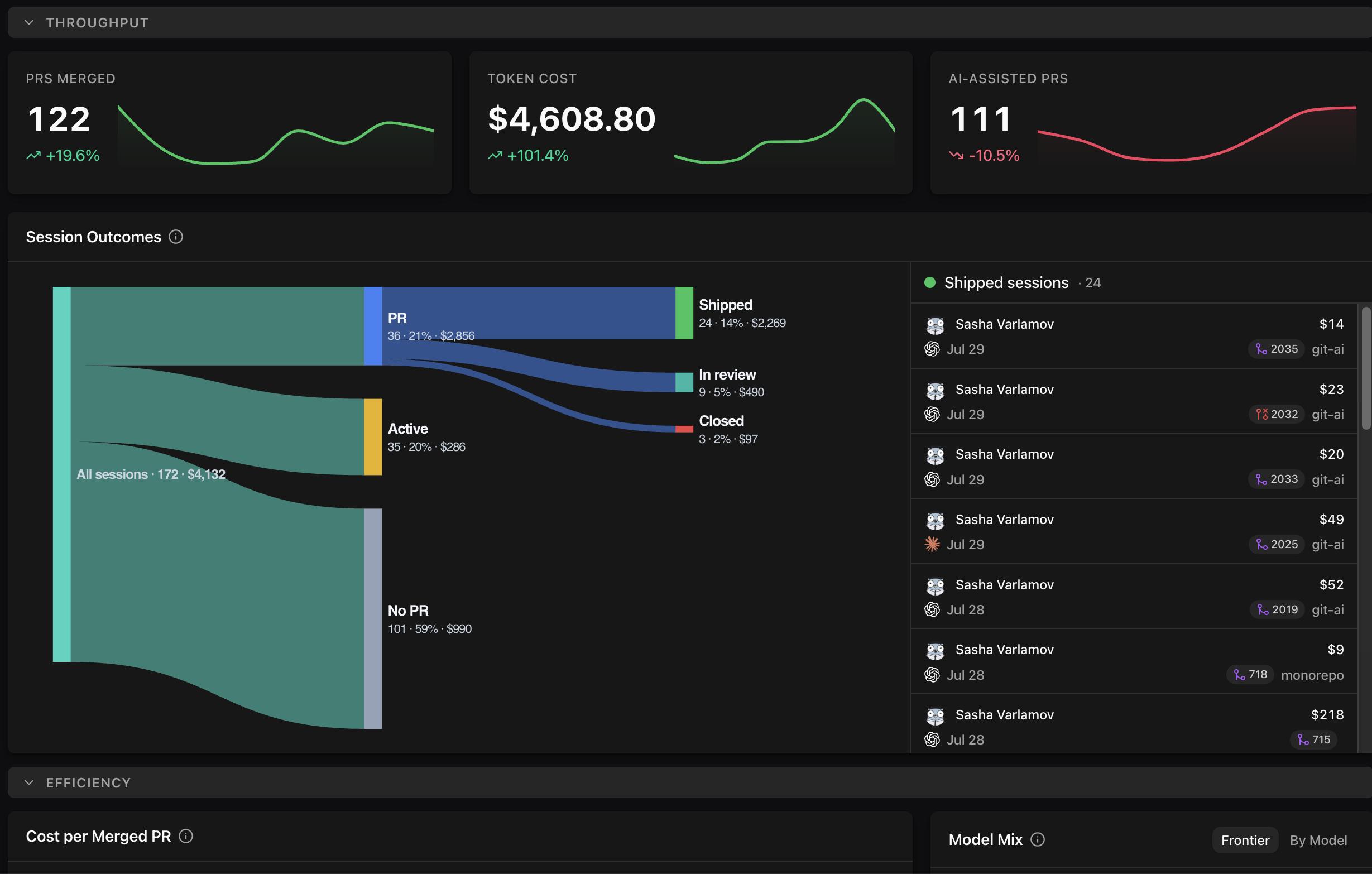
See your AI engineering, end to end
Connect a repo and within a day you can see what your agents wrote, what it cost, and how much of it actually shipped — per PR, per team, per model.
CLI Reference
Complete reference for all Git AI commands including usage, blame, diff, stats, checkpoint, show-prompt, install-hooks, and git-hooks. Learn the full command-line interface for tracking AI code authorship.
Setup
Collect AI-attribution on every commit, Pull Request, and line of production code.